No water tomorrow from 08:00
The property manager writes once, and the notice appears on the screen of every resident who has joined. It won't get buried among memes in a group chat or disappear when someone tears down the notice by the lift.
An app for residents · a dashboard for property managers
Residents report maintenance issues and neighbourhood matters from their phones, and the property manager replies from one dashboard. Everyone can see the status – no more group chats or notices in the stairwell.
The demo opens in a new tab with a guest account in a fictional residential community. No installation or account creation needed. This is the residents' app; the property management dashboard is shown further down. The demo content is in Polish, the interface in English.
Android and iPhone versions: coming soon to the app stores. Already have an account? Log in.
For residents
Each one takes a moment to report – what matters is that it reaches the right people, not the property manager's phone at 22:00.
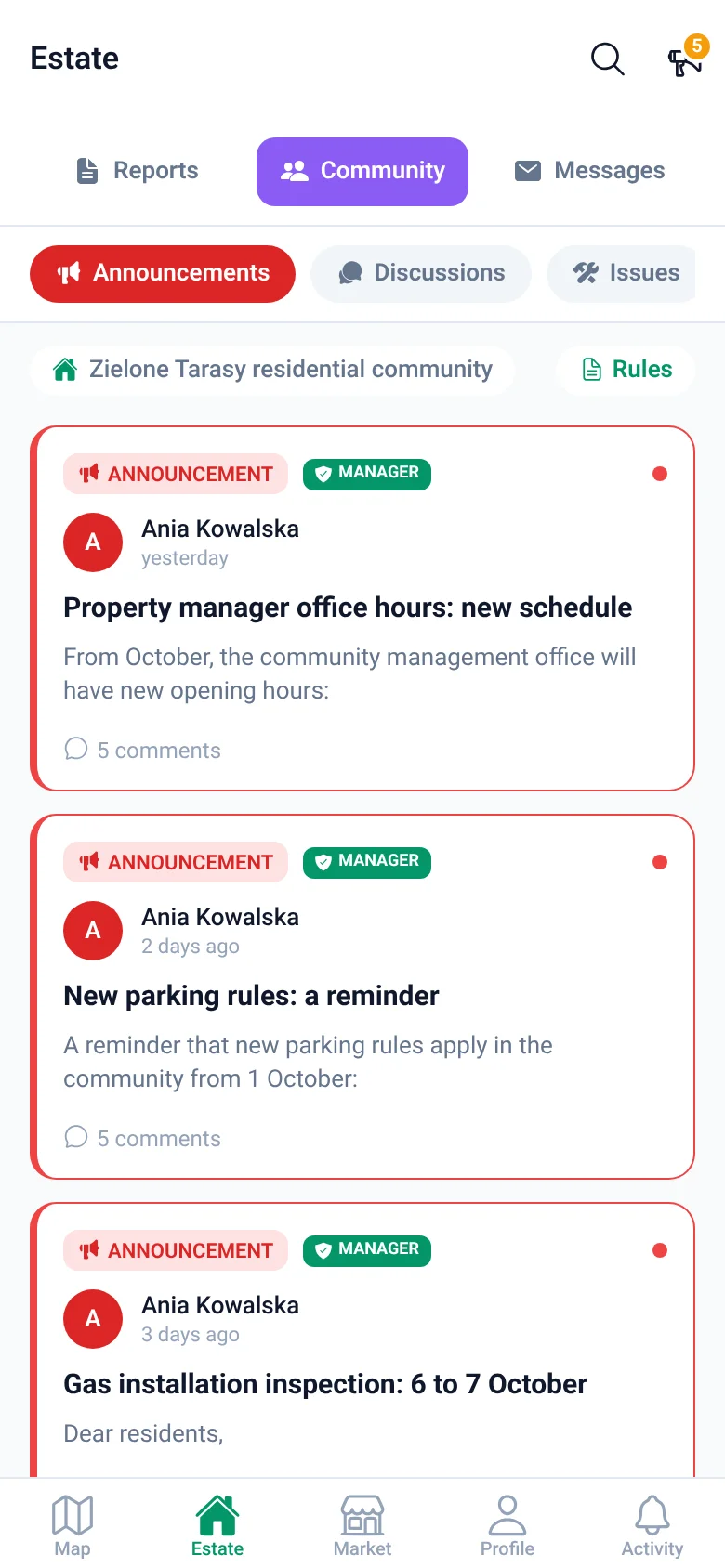
The property manager writes once, and the notice appears on the screen of every resident who has joined. It won't get buried among memes in a group chat or disappear when someone tears down the notice by the lift.
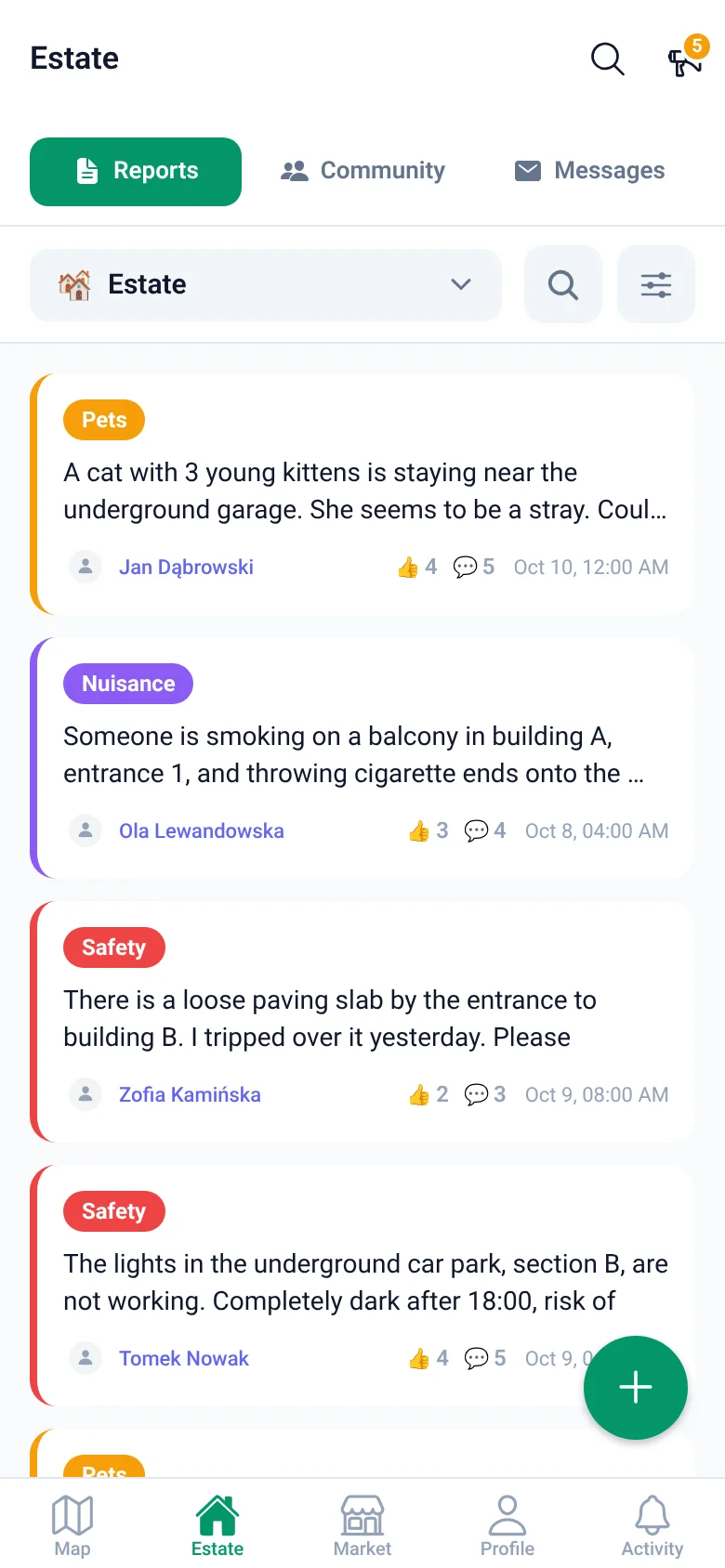
Take a photo, drop a pin on the neighbourhood map, and you're done. Neighbours see the report straight away, and the car's owner usually responds before you have time to call the municipal enforcement service.
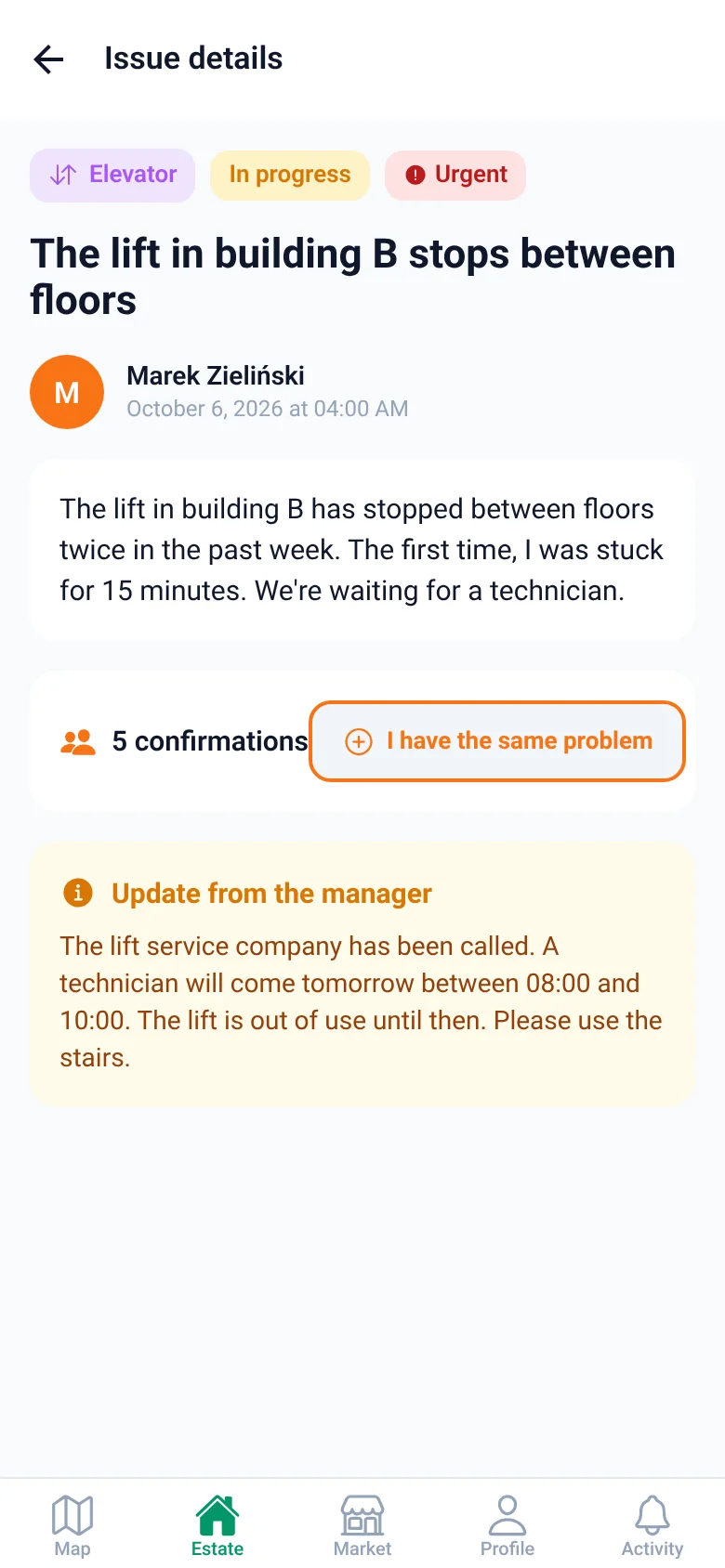
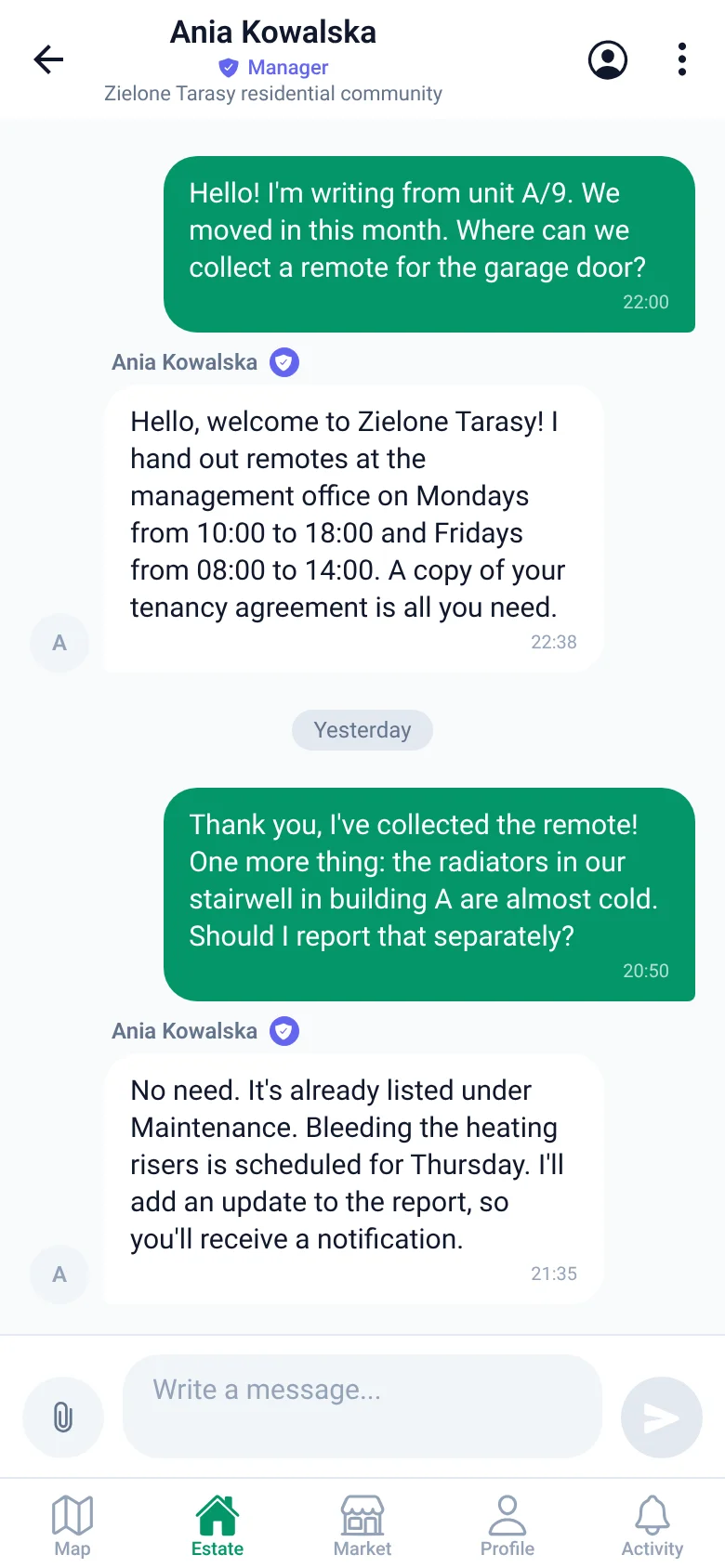
Report the issue directly to the property manager, instead of writing it in a logbook at reception. You can see the status and a note explaining when the technician is coming and what has been done. Fewer questions about the same thing.
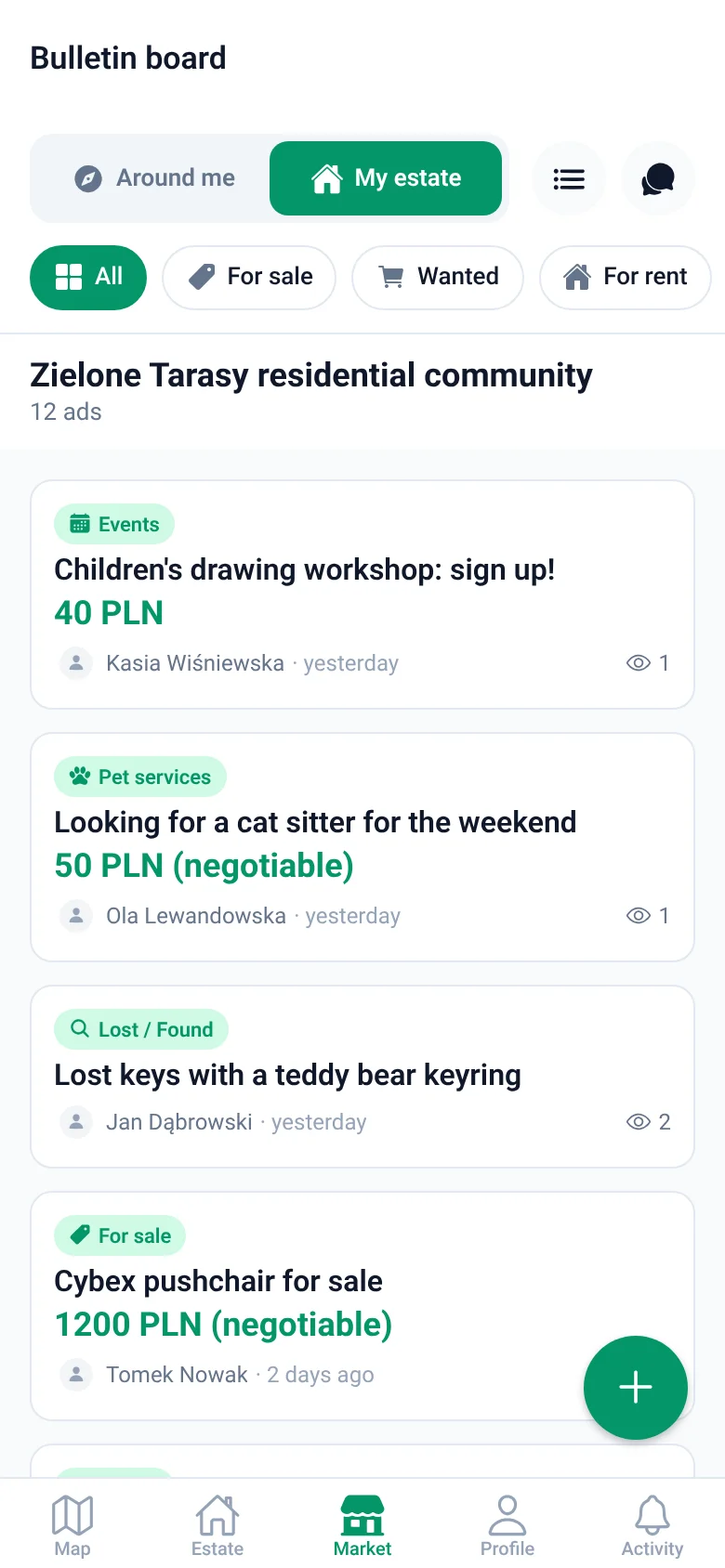
Post a listing for your neighbourhood. A child's bike, a cat sitter, two tickets to a match: it all reaches your neighbours, rather than a nationwide classifieds site.
App screens
Four screens for everyday use, from a neighbour's report to a notice from the property manager.
Also included:
Setup
From your first message to a working residential community in three steps. We do most of the work.
An Excel/CSV file or a simple table from the board or property manager. We enter the buildings, entrances and units, and when the community is ready, residents receive invitations with a code by email.
They follow the link, select their unit, and join the community in moments. They create an account with an email address or a Google account.
Messages go to neighbours or to the board and property manager, depending on what they concern. Everyone can see the status and knows what happens next.
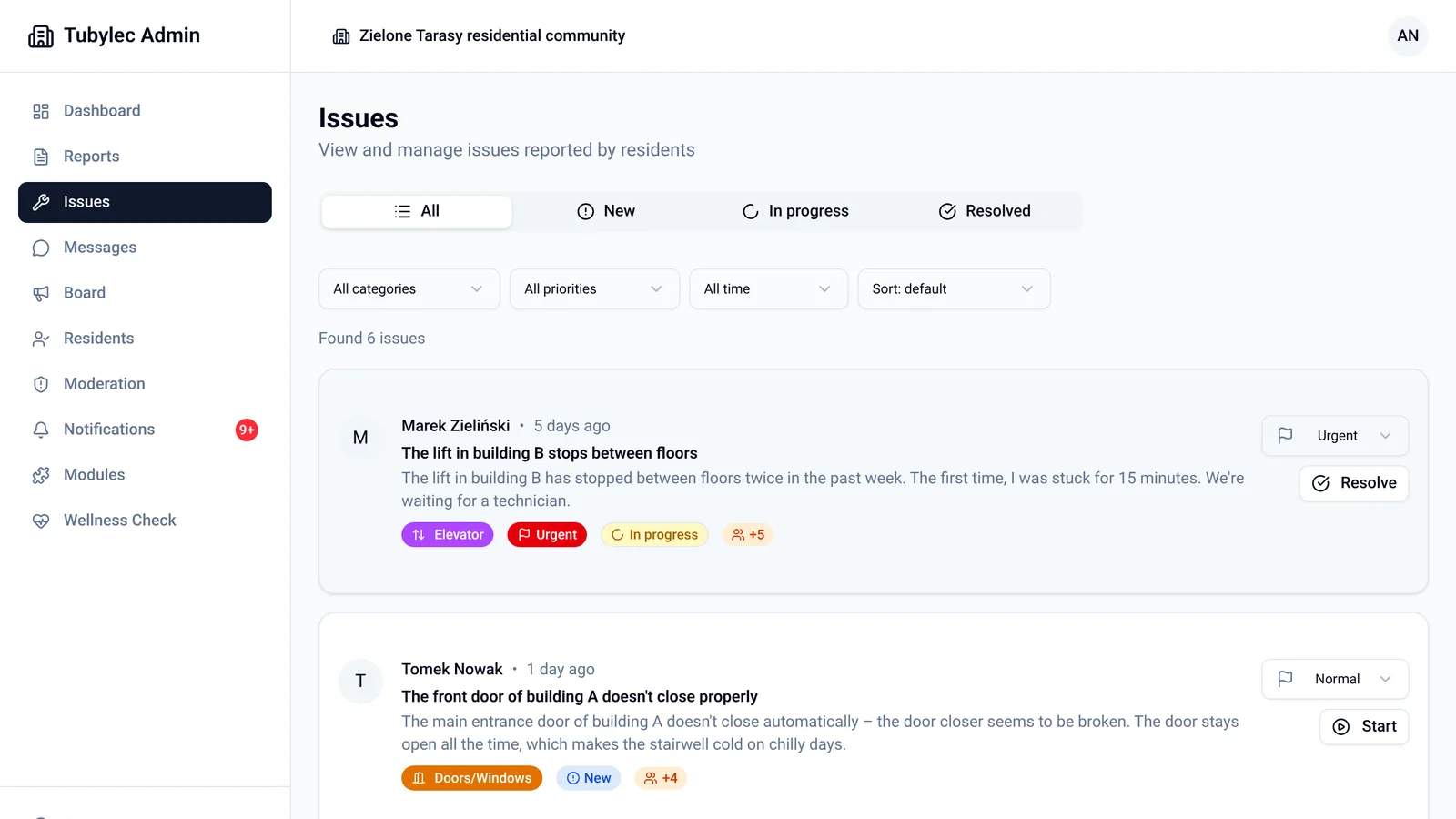
For property managers
Fewer calls about the same maintenance issue, fewer notices in the stairwell, and one place where the whole board and property manager can see what's happening in the community. It works alongside your accounting software. Nothing needs to be migrated.
On this website, 'property manager' means anyone responsible for running a residential community: a residents' board, housing cooperative or property management company.
Pilot
For the first communities, we agree terms individually.
Setup
Usually 3 working days after we receive the list of units
Residents' data
The data processing agreement (Article 28 GDPR) is part of the dashboard terms – read the agreement (in Polish)
Who's behind it
The app and dashboard are built by CyberDemigods, a software company based in Opole, Poland. We run the pilot ourselves: enter buildings and units, show the dashboard live online or in person in Opole and the surrounding area, and reply to emails on working days.
Tell us which community you have in mind. We'll show you the dashboard live and agree the pilot terms.
Questions
To get started, we need a list of units in a file (Excel/CSV or an export from your accounting software) and one person to handle reports in the dashboard. We enter the buildings, entrances, units and invitations. Setup usually takes 3 working days after we receive the list of units. There is no limit on dashboard accounts: each board member and property manager gets their own, and we create them at your request. After that, you simply update maintenance issue statuses with a short note and publish notices, instead of answering the same phone calls.
No, and it doesn't need to. We don't handle service charge accounts, utility billing or formal resolutions. This is a way to communicate with residents: maintenance issues with a status, notices, neighbourhood reports, listings and messages to the property manager. It works alongside the software you already use.
That's normal. Maintenance reports and notices work from the first resident, and you can send more invitations at any time. People join at their own pace. Invitations are individual, sent to an email address with a code. The list of units in the dashboard shows who has already joined.
There are three levels. The property manager moderates content for their community in the dashboard: they can hide a post and mute its author for 1 to 30 days. Any resident can flag inappropriate content. After three flags, a post is automatically hidden until the property manager makes a decision. Content from people who have not yet been confirmed by the property manager is also checked automatically before it appears.
The residents' association or property manager is the data controller for community data: the list of units, residents' unit assignments, maintenance issues, reports and notices. We process that data only on their instructions, as a data processor, under a data processing agreement (Article 28 GDPR) included in the dashboard terms. You enter into this agreement when you accept the terms at your first login. We are the data controller for residents' account data (email address, username and avatar), as an app provider. The agreement is publicly available in the property management dashboard terms (in Polish).
The database, login service and photos run on servers in the European Union (Ireland). Some supporting services, including hosting for the dashboard and browser app, push notifications and automated moderation of content from unconfirmed users, use US providers under standard contractual clauses. Sub-processors are listed in the data processing agreement within the dashboard terms. When the partnership ends, we return or permanently delete the community's data, as chosen by the property manager. Residents own their accounts: each resident can delete their account in the app.
No. The residents' app is free. We charge the residents' association or property manager as part of a package for the community.
By default, only residents of your community. When you create a report, you choose whether it is for your community or public, and whether to post it under a username or anonymously. Nobody in your community – neither your neighbours nor the property manager – can see who posted an anonymous report.
No installation is needed. The same app works in a browser, on computers and phones. You create an account with the code in your invitation, without having to invent a login name: an email address or a Google account is enough. The property manager can add someone who doesn’t use a smartphone to a unit in the dashboard as a household member or contact person, so they know who lives there – but notices from the app won’t reach that person. Important notices are still worth putting up in the stairwell, and a neighbour or family member can report a maintenance issue on their behalf.
Send your property manager or residents’ board a link to this page – you’ll find a ready-made message here. It works best if several neighbours sign it or raise the topic at a meeting. You can also write to us, and we’ll show the property manager the dashboard ourselves.
We’ll show you the property management dashboard live and agree the pilot terms.